
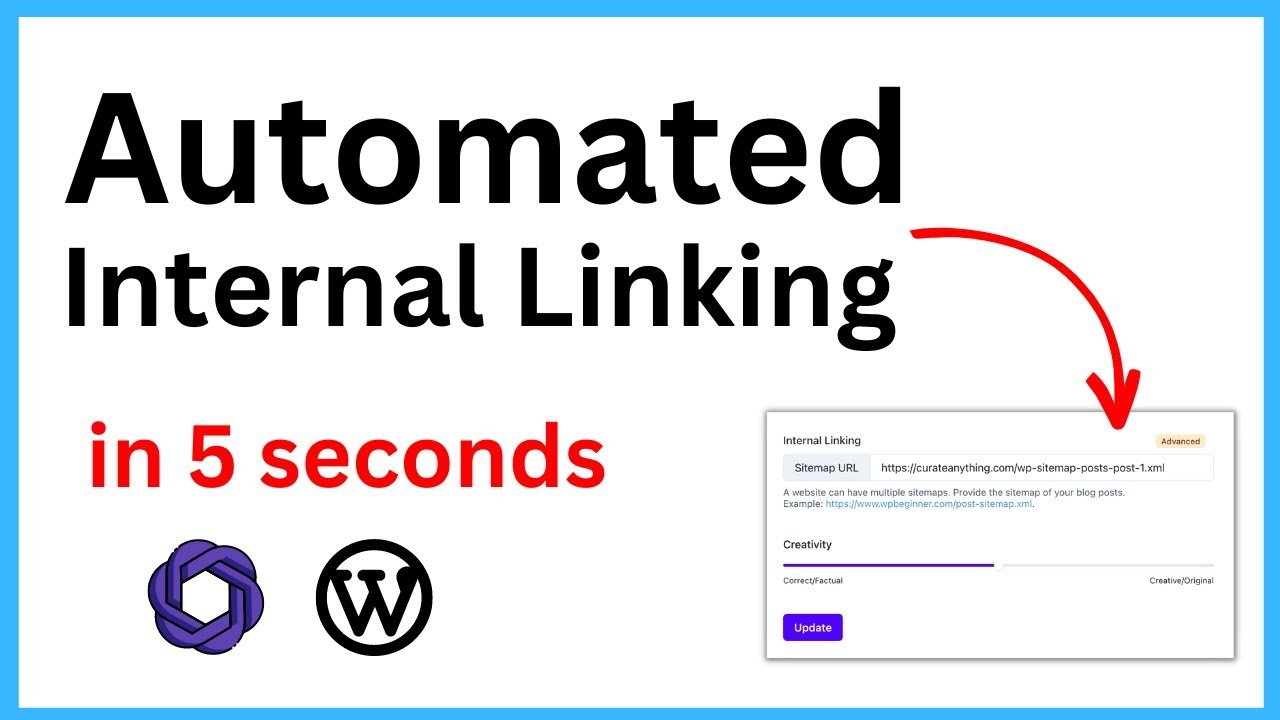
Automated internal linking systems in WordPress often introduce severe DOM parsing overhead and database query deadlocks, particularly when multiple regex-based link injection hooks fire simultaneously on the the_content filter. When concurrent linking engines evaluate the exact same post object—such as when running heuristic term-matching concurrently with semantic relation mapping—race conditions occur. This leads to critical failures including duplicated anchor tags, nested HTML nodes, destroyed shortcode structures, and exhausted PHP memory limits. The root of this conflict lies in execution priority (add_filter weights) and unfiltered AST (Abstract Syntax Tree) manipulation. Resolving this requires orchestrating execution sequencing at both the WP-CLI management level and the PHP configuration level. By effectively sandboxing the indexing routines and controlling the injection loop order, system administrators can prevent engine overlap during HTML rendering and database writes, ensuring a stable, performant content delivery pipeline.
graph TD
    A[Client Request: View Post] --> B[WordPress Hook: the_content]
    B --> C{Linking Engines Registered?}
    C -->|Engine 1: Weight 10| D[Keyword Mapping Parser]
    C -->|Engine 2: Weight 20| E[Semantic NLP Parser]
    D --> F[Regex String Injection]
    F --> G{Conflict Detection}
    G -->|DOM Malformation / Nested Tags| H[Filter Halt / NGINX 504 Timeout]
    G -->|Clean DOM| I[Return Manipulated Content]
    I --> E
    E --> J[DOM Re-parsing & Secondary Injection]
    J --> K[Final Output to Client]
System Prerequisites
Before executing the configuration modifications, ensure the server and application environment meet the following baseline requirements. Failure to meet these prerequisites will result in syntax errors, runtime exceptions, or incomplete database migrations.
-
PHP Environment: PHP 8.1 or higher is required. The
pcntlandredisextensions must be compiled and enabled in thephp.inifile to handle multithreading requirements during command-line indexing operations. -
Command Line Tooling: WordPress CLI (
wp-cli) version 2.9.0 or higher installed globally in the system path. -
System Permissions: Root or
sudoSSH access to the application server (Debian/Ubuntu or CentOS/RHEL) to execute daemon modifications and monitor system logs. -
Editor Architecture: Active WordPress Classic Editor environment. The parsing logic detailed in this guide targets standard raw HTML output generated by
wpautop. Modern block-based setups wrap content in JSON-like HTML comments, requiring an entirely distinct AST traversal method which is outside the scope of this particular fix. -
Memory Allocation: A minimum of 256MB allocated to
WP_MAX_MEMORY_LIMITin thewp-config.phpfile, and an equivalent or highermemory_limitin thephp-fpm.conforphp.iniconfigurations. -
Database Constraints: MySQL 8.0+ or MariaDB 10.5+ with InnoDB row-level locking enabled to prevent table-level deadlocks during concurrent link indexing.
Method 1: Command Line / Terminal Fix
GUI-based operations frequently trigger HTTP timeouts (504 Gateway Timeout) when processing large content repositories. The most reliable method to reset, synchronize, and rebuild linking engine configurations without conflict is through standard shell execution. The following script forces synchronization and isolates the indexing processes from the frontend user requests.
#!/bin/bash

# 1. Flush the Redis object cache to remove stale transient queries
wp cache flush --allow-root

# 2. Re-index primary keyword mapping engine explicitly in chunked batches
wp ilj index run --chunk-size=50 --allow-root

# 3. Synchronize secondary semantic engine statistics bypassing standard HTTP request limits
wp link-whisper sync_links --force --allow-root

# 4. Migrate WP-Cron to run via system crontab instead of synchronous virtual pageviews
wp config set DISABLE_WP_CRON true --raw --allow-root

# 5. Restart PHP-FPM daemon to flush memory leaks from previous failed index builds
systemctl restart php8.1-fpm
Execution Breakdown:
-
wp cache flush: Internal linking engines heavily rely on the Transients API to store cached regex maps and DOM states. When a conflict occurs, corrupted HTML nodes are often cached in Memcached or Redis. This command drops all keys, forcing the system to rebuild the cache from a clean database state. -
wp ilj index run --chunk-size=50: Keyword mapping engines build custom database tables (or SQLite instances) to track keyword-to-URL relationships. Running this process concurrently with frontend rendering causes row deadlocks. Executing this via WP-CLI with a strict chunk limit (50posts per cycle) ensures the primary keyword index builds sequentially, preventing InnoDB transaction lockouts and memory exhaustion. -
wp link-whisper sync_links --force: Secondary engines that map semantic relationships and track outbound/inbound statistics must be recalibrated after the primary engine has secured its indexing tables. Forcing this synchronization via CLI ensures the reporting tables accurately reflect the newly injected nodes without relying on fragmented background asynchronous requests. -
wp config set DISABLE_WP_CRON true: By default, WordPress fires background tasks (like background linking sweeps) whenever a user visits the site. This causes unpredictable CPU spikes and database locks. Disabling virtual cron forces the system to rely on a strict UNIXcrontabschedule, effectively sandboxing link generation away from live traffic rendering. -
systemctl restart php8.1-fpm: Clears the worker pool of any zombie processes or memory leaks generated by previous regex recursion loops.
Method 2: Configuration File Fix
Command-line indexing resolves database deadlocks, but frontend injection conflicts will still occur if multiple plugins attempt to manipulate the DOM simultaneously via the the_content hook. By default, most engines attach themselves at priority 10. To prevent race conditions and malformed anchor tags (e.g., <a><a>Text</a></a>), you must strictly enforce execution sequencing via PHP configuration.
The following code must be deployed inside an MU (Must-Use) plugin directory (/wp-content/mu-plugins/link-orchestrator.php) to ensure it executes before standard plugins initialize.
<?php
/**
 * Plugin Name: Link Engine Orchestrator
 * Description: Resolves priority conflicts between regex-based linking engines by isolating their hook execution sequence.
 * Version: 1.0.0
 */

// Prevent direct execution
if ( ! defined( 'ABSPATH' ) ) {
    exit;
}

// Attach to after_setup_theme to ensure all plugin classes are loaded into memory
add_action('after_setup_theme', 'orchestrate_linking_engine_priorities', 100);

function orchestrate_linking_engine_priorities() {

    /**
     * Engine 1: Primary Keyword Injection
     * We force this engine to process first by lowering its priority integer.
     */
    if ( class_exists( 'ILJ\Core\App' ) ) {
        // Unhook default priority
        remove_filter( 'the_content', [ 'ILJ\Core\App', 'inject_links' ], 10 );
        // Re-add with highest execution priority (runs earlier)
        add_filter( 'the_content', [ 'ILJ\Core\App', 'inject_links' ], 5 );
    }

    /**
     * Engine 2: Secondary Semantic Injection
     * We force this engine to process last, ensuring it evaluates the DOM
     * ONLY after the primary engine has successfully closed its HTML tags.
     */
    if ( class_exists( 'Link_Whisper_Target' ) ) {
        // Unhook default priority
        remove_filter( 'the_content', 'wpil_filter_content', 10 );
        // Re-add with lowest execution priority (runs later)
        add_filter( 'the_content', 'wpil_filter_content', 99 );
    }
}
?>
Configuration Breakdown:
-
add_action('after_setup_theme', ..., 100): We fire this orchestration function extremely late in the initialization sequence (priority 100) to guarantee that all third-party linking classes have been fully loaded into the PHP namespace. -
class_exists(...): This is a critical fail-safe. If a plugin is deactivated or updated with a changed namespace, the script will silently bypass the block rather than throwing a fatalUncaught Error: Class not found, ensuring system stability. -
remove_filter(...): WordPress requires the exact callback payload (including class instances or static arrays) to successfully unhook a registered filter. We target the default10priority. -
add_filter(..., 5)vsadd_filter(..., 99): The WordPress hook system processes functions in ascending numerical order. By moving the strict keyword injection to5, we allow it to parse the raw text output from the Classic Editor first. By pushing the semantic mapping injection to99, it acts as a secondary pass. It will now parse the DOM including the anchor tags injected by the first engine, utilizing its own boundary detection to ignore text already wrapped in<a>tags, entirely preventing nested link corruption.
Diagnostic Checklist
After implementing the command line indexing and the PHP hook orchestration, use the following diagnostic commands to verify the system’s operational integrity.
| Symptom | Diagnostic Command | Expected Output |
Nested <a> tags in DOM |
wp eval 'echo apply_filters("the_content", "test post content");' --allow-root |
Clean HTML without <a><a>...</a></a> structures. The output should cleanly show individual anchor tags respecting word boundaries. |
| Excessive query load / DB lock | mysqladmin -u root -p processlist | grep "wp_postmeta" |
Returns null. You should see no long-running UPDATE or INSERT queries exceeding 2 seconds on the postmeta table. |
| Linking indices desynchronized | wp option get wp_ilj_index_status --allow-root |
completed – This confirms the chunked indexing routine finished building the SQLite/custom table mapping. |
| PHP Memory Exhaustion | grep "Allowed memory size" /var/log/nginx/error.log |
Empty return. A properly optimized indexing sequence will not breach the WP_MAX_MEMORY_LIMIT garbage collection threshold. |
Final Security/Stability Checks
Upon completing the diagnostic checklist, continuous system stability must be verified under production loads. Monitor the PHP-FPM worker pool logs (/var/log/php8.1-fpm.log) for segmentation faults or recursive stack errors, which occur if a regex pattern encounters an infinite lookahead loop.
To validate the frontend rendering pipeline, load a heavily text-based post using the Classic Editor output and extract the raw HTML source code. Pass this source code through the W3C Markup Validation Service to ensure no broken, unclosed, or improperly nested anchor tags exist. Finally, monitor the MySQL slow query log (/var/log/mysql/mysql-slow.log) for at least 24 hours post-deployment. Confirm that the background daemon processes and cron schedules are functioning properly without generating deadlock exceptions during standard content publishing workflows.